
1 vCores
2 GB DDR4 RAM
20 GB SSD
1× IPv4 + /64 IPv6
1 Gbit/s Uplink
DDoS-Schutz Inclusive
Get full control with a virtual private server
Absolute freedom on your self-managed virtual private server with full root access, NVMe SSD speed, effortless upscaling, and flat rate pricing.
Simple Transperent
best offer
Root-VPS 1
starting at
12,000 IQD
/month
What's Included:
Root-VPS 2
starting at
20,000 IQD
/month
What's Included:
2 vCores
4 GB DDR4 RAM
40 GB SSD
1× IPv4 + /64 IPv6
1 Gbit/s Uplink
DDoS-Schutz Inclusive
MOST POPULAR
Get Started
Root-VPS 3
starting at
31,000 IQD
/month
What's Included:
4 vCores
8 GB DDR4 RAM
80 GB SSD
1× IPv4 + /64 IPv6
1 Gbit/s Uplink
DDoS-Schutz Inclusive
Root-VPS 4
starting at
45,000 IQD
/month
What's Included:
6 vCores
12 GB DDR4 RAM
120GB SSD
1× IPv4 + /64 IPv6
1 Gbit/s Uplink
DDoS-Schutz Inclusive
Root-VPS 5
starting at
59,000 IQD
/month
What's Included:
8 vCores
16 GB DDR4 RAM
200GB SSD
1× IPv4 + /64 IPv6
1 Gbit/s Uplink
DDoS-Schutz Inclusive
Root-VPS 6
starting at
72,000 IQD
/month
What's Included:
8 vCores
24 GB DDR4 RAM
260GB SSD
1× IPv4 + /64 IPv6
1 Gbit/s Uplink
DDoS-Schutz Inclusive
What you get
All Root Server packages come with these premium features
AMD EPYC CPUs
For all use cases
NVMe SSD
3x redundant storage
DDoS Protection
Automatic detection
Web Interface
VNC console, backups, reinstallation and traffic statistics - all conveniently via browser, no SSH access needed.
Instant Online
Fully automated deployment
2 Gbit/s
browser, no SSH access needed. Instant Online Fully automated deployment IPv4 + IPv6 /64 included
Infrastructure
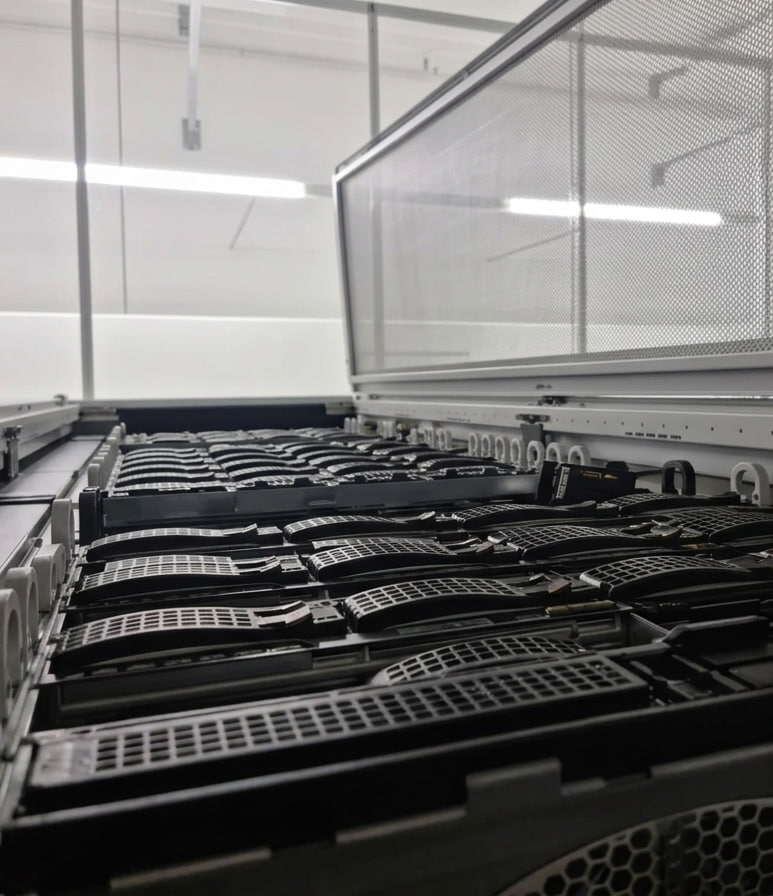
All servers are located in Frankfurt am Main - directly at DE-CIX, the world's largest internet exchange. This ensures excellent connectivity and the highest data protection standards.
-
DE-CIX Direct peering at the largest IX
-
GDPR compliant Data stays in Germany
-
Tier-3 Data Center ISO 27001 certified
-
Low Latency Optimal for DACH & EU
-
DE/EN Support Help via ticket system
Operating Systems
One-click install of Debian, Ubuntu, AlmaLinux, Arch Linux & Windows — plus 100+ ISOs to mount in the web interface.
 Debian
 Ubuntu
 Windows
 Arch Linux
 AlmaLinux
Plus over 100 ISOs to mount directly via the web interface.
KVM Virtualization on Enterprise Hardware
Our Root Servers run on high-availability KVM hosts with state-of-the-art hardware. This means full hardware virtualization, dedicated resources and maximum performance.
-
KVM Virtualization - Full hardware isolation
-
AMD EPYC CPUs - Powerful server processors
-
DDR4 ECC RAM - Error-correcting memory
-
Ceph Cluster - 3x redundant NVMe storage
-
Frankfurt am Main - DE-CIX connection
What do customers use our servers for?
Root servers are flexibly usable - here are some popular use cases
Web Hosting
WordPress, Laravel, Shopware
Mail Server
Postfix, Dovecot
Docker & Container
Kubernetes, Portainer
Game Server
Minecraft, CS2, ARK
Databases
MySQL, PostgreSQL
Trading & Bots
Crypto, Forex, API
Frequently Asked Questions
Here you will find answers to frequently asked questions.
You can upgrade or downgrade your root server at any time. Simply open your server management panel and click the "Upgrade/Downgrade" button.
A fresh installation of a root server usually takes less than 15 seconds.
Yes. All of our root servers include comprehensive DDoS protection at no additional cost, helping protect your server against unwanted attacks.
The following operating systems are available with 1-click installation: Debian 11, 12, 13 Ubuntu 20.04, 22.04, 24.04 AlmaLinux 8 Arch Linux Windows Server 2022 & 2025 Windows 11 Pro Additionally, more than 100 ISO images are available for mounting directly through the web interface. Installation takes only a few minutes and can be repeated anytime at no extra cost.
To connect via SSH, you'll need an SSH client. Linux/macOS: SSH is already built in. Windows: We recommend PuTTY or Windows Terminal. Linux/macOS Open a terminal and run: ssh root@YOUR_SERVER_IP Windows (PuTTY) Download and open PuTTY. Enter your server IP in the Host Name field. Set Port to 22 and Connection Type to SSH. Click Open and log in using your password. Tip: For improved security, we recommend configuring SSH key authentication.
Snapshot via the Web Interface Create a complete server snapshot with a single click from your customer panel. It captures the current server state and can be restored when needed.
KVM (Kernel-based Virtual Machine) is a full virtualization technology integrated into the Linux kernel. We use KVM for all of our root servers. Advantages of KVM Dedicated kernel – Each server runs its own operating system kernel. Dedicated resources – CPU, RAM, and SSD storage are allocated exclusively to your server. Full root access – Complete control over your system, including kernel modules and custom configurations. Strong isolation – Virtual machines are securely isolated from one another. Compared to container-based virtualization (such as OpenVZ), KVM provides greater flexibility, compatibility, and security by functioning like a dedicated physical server.
Reinstalling your operating system is quick and easy. Log in to the customer panel. Select your root server. Click Reinstall. Choose your preferred operating system (100+ ISO images available). Confirm the installation. Important: Reinstalling your server will erase all existing data. Be sure to create a backup beforehand. The installation usually takes 2–5 minutes. Once completed, your new login credentials will be sent via email, and you can connect immediately using SSH (Linux) or RDP (Windows).
Use Remote Desktop Protocol (RDP) to access your Windows server. Windows Press Windows + R. Type: mstsc Enter your server's IP address. Click Connect. Log in with the Administrator account and your password. macOS Install Microsoft Remote Desktop from the App Store. Click Add PC. Enter your server IP. Connect and sign in. Linux Install Remmina: sudo apt install remmina remmina-plugin-rdp Open Remmina, create a new RDP connection, and enter your server IP. Default RDP Port: 3389/TCP For improved security, we recommend changing the default RDP port after setup.
If your root server cannot be reached, try the following: 1. Check Server Status Log in to the customer panel and verify that your server is Online. If it is stopped, start it from the panel. 2. Restart the Server Use the Restart option. If necessary, perform a Hard Reset. 3. Use the VNC Console Access your server through the VNC console, even if SSH or RDP is unavailable. 4. Check the Firewall A firewall rule may be blocking access. Disable UFW: sudo ufw disable Flush iptables: sudo iptables -F 5. Check Disk Space A full disk can cause various issues. df -h If the issue persists, please open a support ticket including a detailed description of the problem.
The two most popular web servers for Linux are Apache and Nginx. Install Apache (Debian/Ubuntu) sudo apt update sudo apt install apache2 sudo systemctl enable apache2 Test by opening: http://YOUR_SERVER_IP You should see the default Apache welcome page. Install Nginx (Debian/Ubuntu) sudo apt update sudo apt install nginx sudo systemctl enable nginx Open: http://YOUR_SERVER_IP Enable SSL with Let's Encrypt (Recommended) sudo apt install certbot python3-certbot-nginx sudo certbot --nginx -d your-domain.com Tip: For most web applications, we recommend Nginx because it uses fewer resources and performs better under high traffic.
Monitoring your server helps identify bottlenecks before they become problems. Monitor CPU & RAM Install htop: sudo apt install htop Run: htop Displays CPU usage, memory consumption, and running processes in real time. Check Disk Usage df -h Shows available and used disk space. du -sh /var/* Displays the largest directories. Monitor Network Traffic Install iftop: sudo apt install iftop Run: sudo iftop Shows real-time network traffic. View System Logs journalctl -xe Displays recent system events. tail -f /var/log/syslog Follows the system log in real time. Tip: For long-term monitoring, we recommend Netdata for easy setup or Grafana + Prometheus for advanced dashboards and analytics.
Ready for your Root Server?
Start now – no contract, instant deployment, fair prepaid billing.
Monthly cancellable
no setup fee
prepaid